Skip to product information
1 of 15

innoelement

ESP32-C3 XiaoZhi AI Robot Dog DIY Kit - Battery Included

ESP32-C3 XiaoZhi AI Robot Dog DIY Kit - Battery Included

Regular price $49.00 USD
Regular price Sale price $49.00 USD
Sale Sold out
Shipping calculated at checkout.
Quantity

What is it?

ESP32-C3 XiaoZhi AI Robot Dog

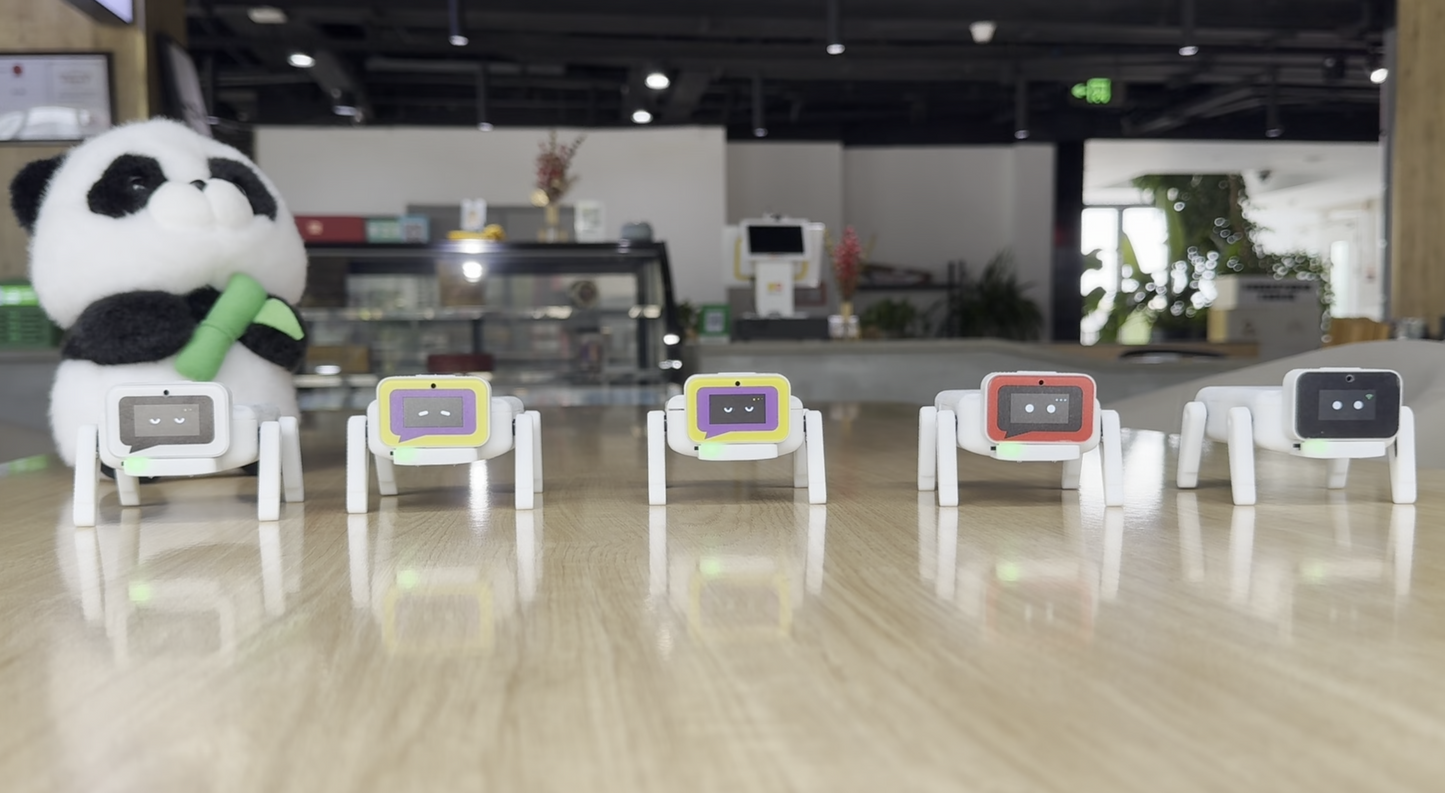
A DIY ESP32-C3 robot-dog kit for voice interaction and hands-on robotics projects. The standard configuration is supplied as parts for assembly, with a battery and firmware preloaded on the controller for connection to the XiaoZhi AI service.

Assembly required

This is the unassembled kit configuration. Assemble and connect the hardware before setup. An assembled version costs extra and must be arranged with the seller before ordering; it is not included in the displayed standard-kit price.

How AI chat works

The robot connects to the online XiaoZhi service through Wi-Fi. Speech processing and large-language-model conversations use the configured online service; this product does not run a complete conversational language model offline on the ESP32-C3.

First use and service requirements

  1. Complete the kit assembly and check its connections.
  2. Charge the included battery and switch on the device.
  3. Configure the device's Wi-Fi connection using the supplied firmware's setup procedure.
  4. Register or sign in to the XiaoZhi console and complete device activation as required.
  5. Select the available voice and model options in the service console.

The XiaoZhi project currently documents a free personal-use option after account registration. Service availability, usage allowances, language options and any premium features follow the provider's current terms. Internet access to the service is required; continued free service and access from every country or network are not guaranteed.

Hardware and firmware scope

Battery and preloaded firmware are included. Expressions, movements and activation methods depend on the installed firmware. Alternative firmware and source-project examples are development options; they are not additional guaranteed functions of the shipped configuration.

Documentation

What's in the box?

Package contents vary by product and selected option. Review the item description below before ordering: a bare PCB, DIY kit, assembled board and case-only listing include different items. If a component or accessory is unclear, contact us before purchasing.

Installation

Read the documentation for this exact product and selected configuration before assembly, wiring or powering it. Use the Docs tab or the documentation links in the product description below. Check compatibility, required tools and power requirements; contact us if anything is unclear.

Warranty

Hardware is tested before shipping whenever stock is available. The product includes a 1-year non-transferable warranty covering manufacturing defects. If compatibility or setup issues occur, contact support before requesting a return.

View full details

Technical details

Description, documents, and source code.

ESP32-C3 XiaoZhi AI Robot Dog

A DIY ESP32-C3 robot-dog kit for voice interaction and hands-on robotics projects. The standard configuration is supplied as parts for assembly, with a battery and firmware preloaded on the controller for connection to the XiaoZhi AI service.

Assembly required

This is the unassembled kit configuration. Assemble and connect the hardware before setup. An assembled version costs extra and must be arranged with the seller before ordering; it is not included in the displayed standard-kit price.

How AI chat works

The robot connects to the online XiaoZhi service through Wi-Fi. Speech processing and large-language-model conversations use the configured online service; this product does not run a complete conversational language model offline on the ESP32-C3.

First use and service requirements

  1. Complete the kit assembly and check its connections.
  2. Charge the included battery and switch on the device.
  3. Configure the device's Wi-Fi connection using the supplied firmware's setup procedure.
  4. Register or sign in to the XiaoZhi console and complete device activation as required.
  5. Select the available voice and model options in the service console.

The XiaoZhi project currently documents a free personal-use option after account registration. Service availability, usage allowances, language options and any premium features follow the provider's current terms. Internet access to the service is required; continued free service and access from every country or network are not guaranteed.

Hardware and firmware scope

Battery and preloaded firmware are included. Expressions, movements and activation methods depend on the installed firmware. Alternative firmware and source-project examples are development options; they are not additional guaranteed functions of the shipped configuration.

Documentation